
Send ZATCA-compliant invoices in minutes— no integration project
Clix validates every field as you type, then stamps, QR-codes and clears or reports each invoice with ZATCA. Start free with 15 invoices a month — no card, no setup fees.
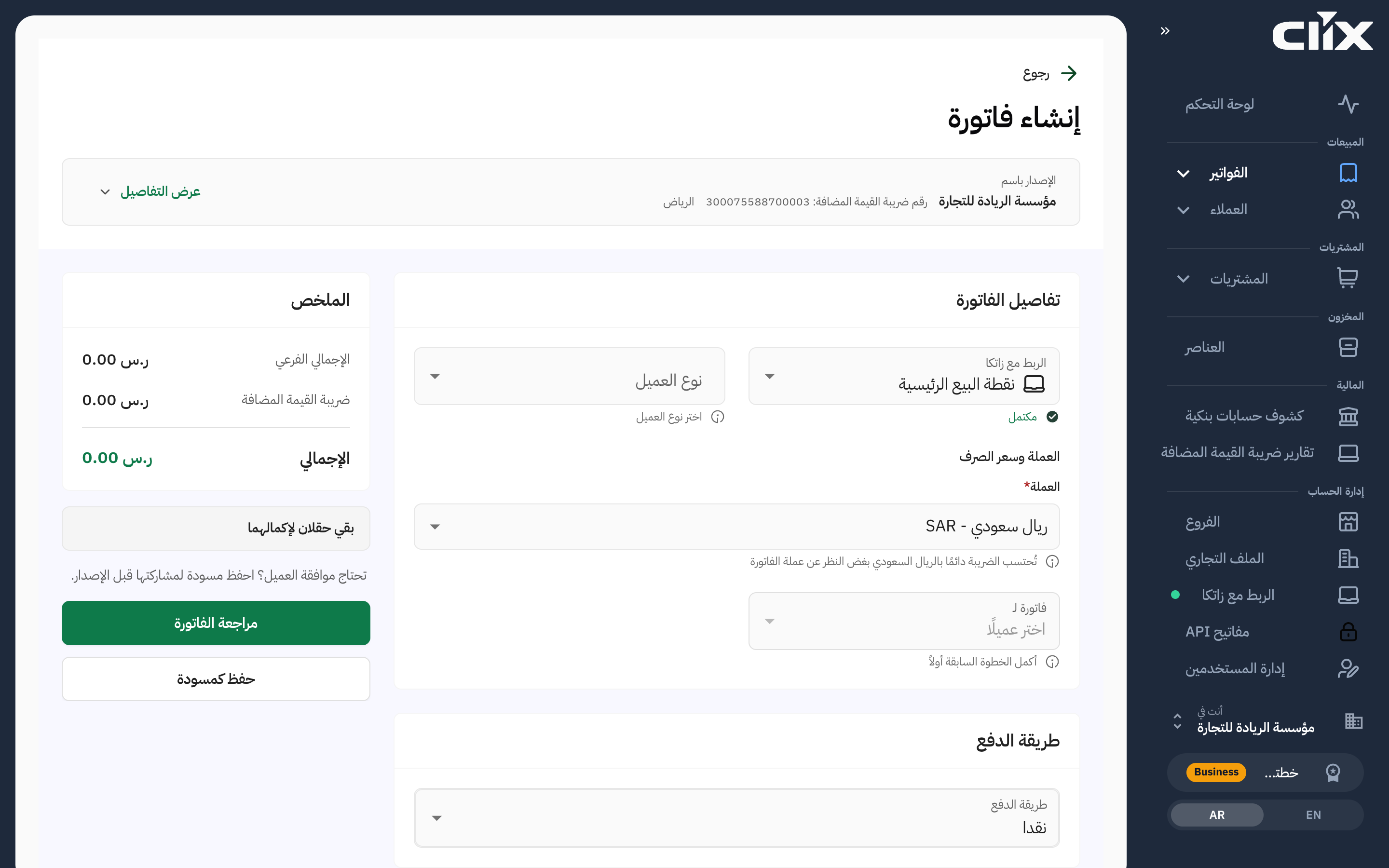
How it works
From draft to cleared in three steps
Create the invoice
Add your buyer and your lines. Clix fills the ZATCA fields you would otherwise have to know.
Clix checks every field as you type
Problems surface before you issue — not as a rejection afterwards.
Cleared, stamped and QR-coded
Clix clears the invoice with ZATCA, stamps it and adds the QR code — automatically.
What you get
Everything a Saudi business needs, from invoice to VAT return
Sales, purchases and VAT in one place, in Arabic or English.
ZATCA Phase 2 clearance
Every invoice stamped, then cleared or reported with ZATCA. Compliance is built in — on every plan.
Standard and simplified invoices
B2B tax invoices and B2C simplified invoices, each with the right fields and QR code.
Credit and debit notes
Correct an issued invoice the compliant way, linked to the original.
Export invoices
Zero-rated, foreign buyer, any currency — with the exchange rate recorded.
Purchase invoices
Keep suppliers on file and record purchase invoices — scanned from the supplier's ZATCA QR code or entered by hand.
Bank statements, matched
Import your bank statement, match payments to invoices and see what is still owed.
Your VAT return figures, ready
The VAT filing report totals VAT on your sales and purchases for the period, laid out by the boxes of the ZATCA return, with the filing deadline. Export it in a click.
Your team, with the right access
Invite colleagues, give each one a role — admin, accountant, create invoices or view only — and invoice from every branch.
Arabic-first, right to left
Built for how Saudi businesses actually work — Arabic and English, RTL throughout.
Accountants: several companies, one login
Manage every client's invoicing from one place and switch between them in a click.
Clix on your phone
Issue invoices ZATCA accepts, record payments and check your VAT report from the Android app, in Arabic or English.
Get it on Google PlayiPhone app coming soon.
Why trust Clix
Reviewed before release
Every change to the invoicing engine is approved by a second engineer before it ships.
Your invoices stay in the Kingdom
Invoices and files are stored on Oracle Cloud in Jeddah, Saudi Arabia.
Where your data is storedWave Checker
Enter your revenue, see your wave and your integration deadline.
Check my wavePenalty Lookup
See ZATCA's published penalty framework for any violation.
Look it upCompliance Checker
Check an invoice against 84 ZATCA rules, in plain language.
Check an invoiceInvoice Reader
Read a supplier PDF or XML into a clear summary.
Read an invoiceVAT Calculator
15% VAT on lines and discounts, with the totals.
Calculate VATQR Decoder
Decode the TLV inside any invoice QR code.
Decode a QRQuestions
Before you start
Start free — 15 invoices a month
Issue ZATCA-compliant invoices with no credit card.